Few things are more annoying when you’re browsing a website than being peppered with pop-up ads. And as if that wasn’t bad enough, pop-up ads can be so annoying because they can distribute malware/Viruses to your devices.
Thankfully, if you use the Google Chrome web browser app on your iOS and Android device, Google makes it easy to block unwanted ads in the Google Chrome app.
Steps to Disable pop-up ads in the Google Chrome [iOS & Android]
We put this step-by-step tutorial on how to disable pop-up ads in your Chrome browser in two different segments. let’s see the first part which has to be about iOS smartphones.
Steps to block pop up ads in Google Chrome Browser on your iOS device
- Launch the Google Chrome Browser app on your iOS device, and then click the Horizontal ellipses in the menu at the bottom of the screen.
- Swipe from right to left across the list of icons at the top of the menu, and then tap “Settings.”
- Scroll down the menu and then tap “Content Settings.”
- Tap “Block Pop-ups” in the list of options.
- Tap to toggle on “Block Pop-ups.” The pop-up ads will be blocked in the Google Chrome app on your iOS.
If you ever decide you don’t want to block pop-ups, You can return to this app at any time to toggle the feature back off.
You May Also Like: Google Pixel 6: Android 12 Cool Tips and Tricks
Steps To Follow to Block Pop up ads in Chrome Browser For Android Device
- Launch the Google Chrome app on your Android device and then click on the horizontal ellipses in the menu at the top right corner of your screen.
- Tap on “Settings”.
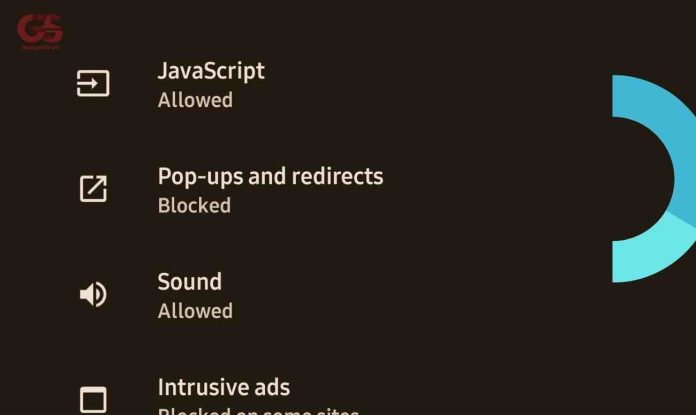
- Scroll down the menu and tap on “Site Settings”.
- Tap “Block pop-ups and redirects” in the list of options.
- Tap to toggle OFF. The pop-up ads will be blocked in the Google Chrome app on your Android device.
You can actually decide to toggle it on whenever you want, all you have to do is visit the app and follow the instructions.
Conclusion
I believe this article will help in solving the problem of the pop-up ads in your Google Chrome app on your iPhone and Android devices respectively. It can be so annoying to get unwanted ads coming up your screen when surfing the internet and this is why we bring this solution to you.