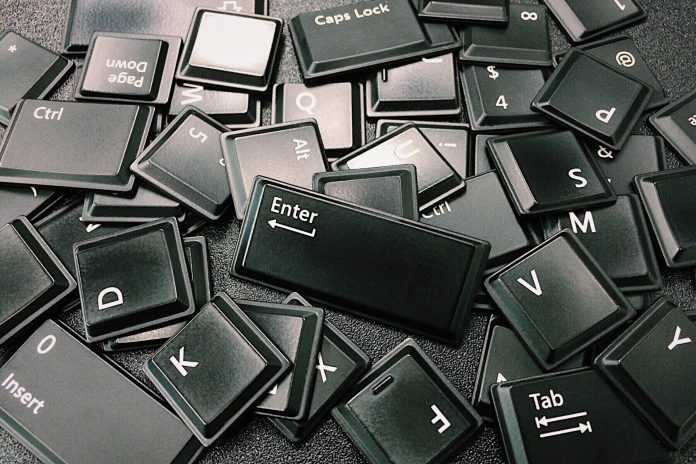
Remember when mechanical keyboards were the height of typing luxury? That clackety-clack beneath your fingertips was once the pinnacle of precision and speed. But times have changed, and your trusty QWERTY slab might be holding you back more than helping you move forward. Welcome to a new age of typing, where input isn’t just about pressing keys—it’s about boosting focus, reducing strain, and syncing with your brain’s natural rhythm. Our tools should enhance, not hinder, the flow of our thoughts.
The Great Keyboard Split: Ergonomics that Actually Work
Standard keyboards have a dirty secret: they’re terrible for your hands. Decades of use don’t make them good; they make them familiar. Enter the split ergonomic keyboard—a design innovation that separates the keyboard into two halves, allowing for a more natural shoulder-width typing posture.
A better posture leads to fewer micro-adjustments and distractions. When you’re not battling wrist pain or twisted elbows, your brain stays on task. Whether you’re writing code, drafting strategy documents, or sinking into deep work, these keyboards help eliminate the physical friction between you and your ideas.
Designs like the Ergodox EZ or the Kinesis Advantage 360 offer thumb clusters, concave key wells, and highly customizable layouts. They’re not plug-and-play; they require a learning curve. But for those who master them, they unlock a flow state that’s hard to achieve on traditional setups.
And there are even community-driven layout configurations like Colemak or Dvorak, which users pair with these split keyboards for maximum typing efficiency. Once adapted, these alternative layouts can further minimize finger movement, speeding up your typing and reducing fatigue.
AI-Powered Input: Typing Meets Telepathy
Imagine typing without thinking. Not in the sense of mindless email replies, but literally typing less because the machine knows what you mean. AI-assisted input prediction is making that possible. Think autocomplete, but jacked up on machine learning.
Take tools like GrammarlyGO or Notion AI, which do more than catch spelling errors. They learn from your tone, your structure, even your habits. They’re trained on vast data sets and fine-tuned by your specific inputs. What this means practically: you type less, and the machine fills in the blanks with eerie accuracy.
It’s about momentum. When you’re in the middle of crafting a complex argument or a nuanced scene in your novel, breaking your stride to fix a sentence can be like hitting a pothole during a sprint. These tools keep you moving.
Even in technical writing, where clarity and precision are key, AI can suggest terminology, streamline formatting, and maintain consistency across large documents. This kind of support frees up mental bandwidth and reduces editing time drastically.
And yes, there’s a learning curve in trusting the machine. But once you’re comfortable with AI-assisted prediction, your fingers don’t just type—they guide an intelligent co-author. The interface disappears, and it’s just you and your thoughts.
Gesture-Based Typing: When Typing Isn’t Typing
If keyboards are a relic, and AI is the co-pilot, gesture-based typing is the leap into uncharted territory. Devices like the Tap Strap or the Sensel Morph allow you to type, swipe, and tap your way through documents using hand motions, touch surfaces, and even mid-air gestures.
These tools shine in non-traditional environments. Think standing desks, minimalist workspaces, or even moving vehicles. But they also appeal to those with a hacker mindset—people who see every friction point in their workflow as a design problem to be solved.
Gesture-based typing rewires how you interact with information. You’re no longer tethered to a rigid rectangular input device. Instead, you develop muscle memory in a new, almost gamified way. For deep-focus work, this freedom can be revolutionary. The act of input becomes more fluid, intuitive, and aligned with the pace of your thought.

The Focus Factor: Not Just Cool Toys
All these devices—whether split ergonomic keyboards, AI-assisted tools, or gesture-based inputs—have one thing in common: they reduce cognitive overhead. Traditional keyboards require a surprising amount of subconscious maintenance. Finger travel, shift keys, awkward shortcuts—they all add up.
However, the new typing interfaces are designed with mental flow in mind. This is especially valuable for anyone diving into deep, uninterrupted work. Writing a book? Researching complex systems? Studying chess openings for hours on end? The less you’re pulled out of the moment by your tools, the more immersed you become. And immersion, as any focused professional knows, is the gold standard of productivity.
What these tools ultimately offer is not just speed but seamlessness. The time saved in typing isn’t just about quantity; it’s about keeping the thread of your thoughts intact. No tool should interrupt that.
The Learning Curve Is the Point
Let’s be honest: none of these tools are out-of-the-box simple. You won’t go from QWERTY to Kinesis overnight, and gesture typing feels downright alien at first. But that difficulty is part of the magic.
Learning a new interface forces you to reevaluate how you think, write, and create. You become aware of your habits, good and bad. You slow down just enough to build a better system. And once the muscle memory kicks in, you’re not just more efficient—you’re more deliberate. Every keystroke has purpose.
It also introduces a level of intentionality to your work environment. Rather than defaulting to what you know, you build workflows that suit your actual needs. Over time, this conscious approach spills into how you organize projects, take notes, and structure time.
What to Try If You’re Curious
You don’t have to go full cyborg right away. Here’s a short list to explore:
- Split Keyboards: Try the Moonlander or the Dygma Raise. Both offer modular layouts and robust software.
- AI-Assisted Tools: Experiment with Notion AI for brainstorming or GrammarlyGO for long-form writing.
- Gesture Interfaces: Look into the Tap Strap or give the Sensel Morph a spin with its overlays for creative and coding workflows.
Each of these tools represents a paradigm shift. Don’t try them all at once. Pick one. Use it for a month. See how it changes not just your typing, but your thinking.
The Keyboard Revolution Isn’t Coming—It’s Here
The humble keyboard has served us well, but it was never designed for the cognitive and creative demands of the 21st century. Today’s work requires tools that help us think faster, focus longer, and express ourselves more precisely.
You don’t need to ditch your current setup tomorrow. But ask yourself this: is your keyboard helping you reach your best ideas—or is it quietly holding you back?