
Imagine you are facing a huge pile of PDFs that need to be professionally edited and organized. The only catch? While you are running short on time, your Mac or iOS PDF editor offers limited features. Frustrating, right? But don’t worry; we have the solution you’ve been waiting for! It is called UPDF.
Enter UPDF, an AI-powered PDF editor that offers a full suite of PDF handling for Mac, iOS, Windows, and Android devices. Whether you need to quickly annotate a report, edit an invoice, convert a document, or even chat directly with your PDFs, UPDF has you covered!
And the best part? UPDF is offering an incredible 63% discount on the Black Friday sale! So, don’t miss your golden chance to get UPDF at an unbeatable price.
Now, let’s dive in and explore why UPDF is the ultimate PDF editing solution!
The Ultimate PDF Editing Solution – UPDF
Alright, folks, let’s dive deeper into the PDF editing magic with UPDF. Imagine you are facing an endless list of tasks, and your client suddenly sends you a PDF that needs urgent editing. Plus, you have to make summaries and translate from a foreign language. Sounds overwhelming, right?
But don’t fret! UPDF is here to save the day.

UPDF is not your run-of-the-mill PDF editor. In fact, it’s a top-tier PDF handling tool that’s hard to beat! What makes it so great? Well, UPDF’s exquisite PDF managing features are simply mind-blowing. So, hold onto your hats because we are about to dive deeper into the magic of UPDF!
Analyze PDFs Better with UPDF AI
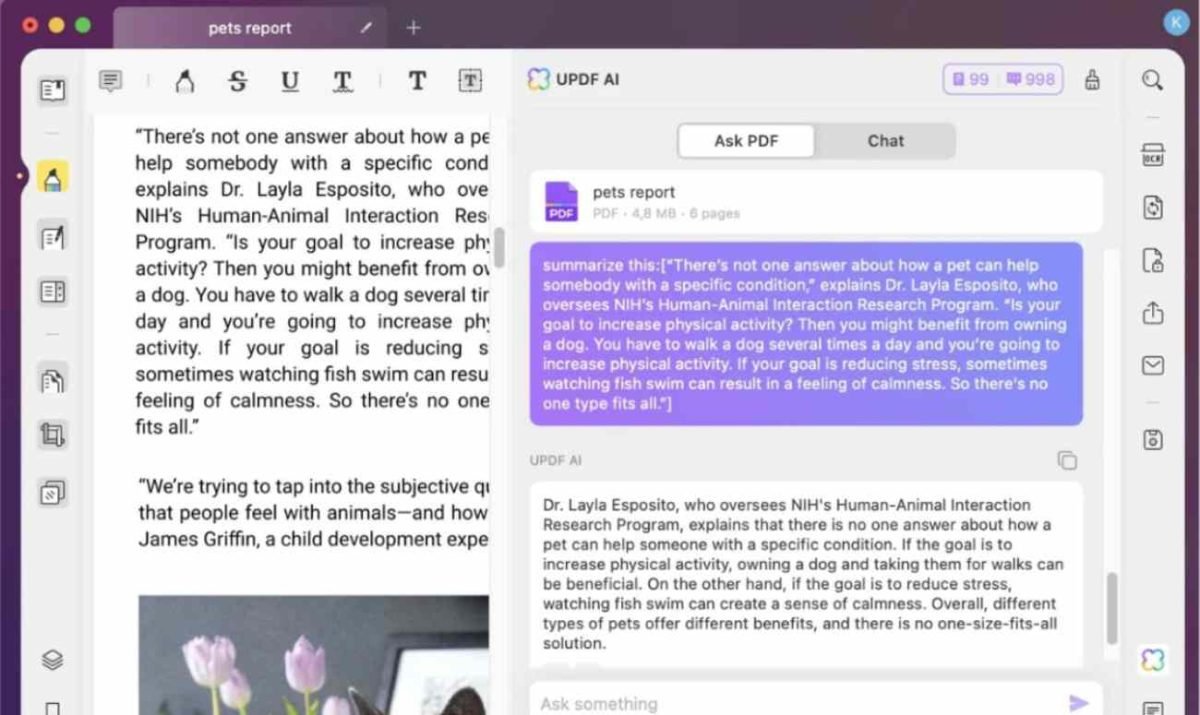
Need to understand your PDFs better? No problem! UPDF AI will summarize, translate, explain, and tackle all your PDF-related queries in a cinch. The cherry on top is its ability to let you chat and ask questions to UPDF AI directly without switching to a separate AI chatbot!
Work with PDFs on the Go
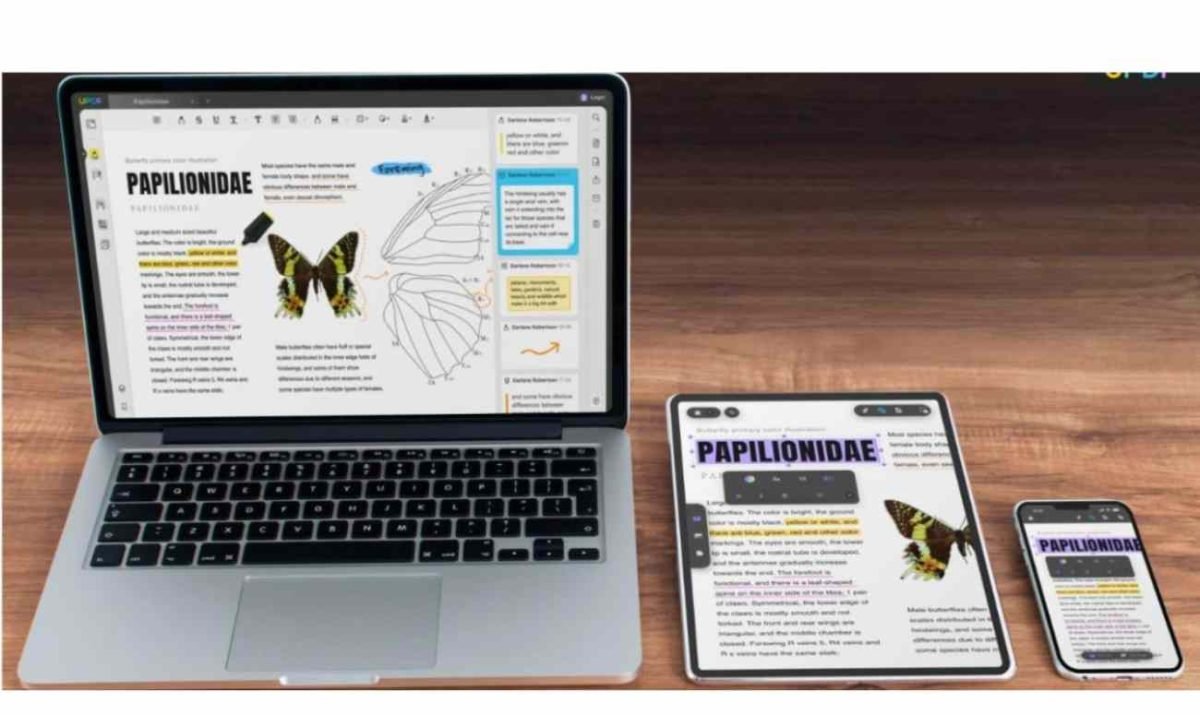
Go beyond platform limits with UPDF’s cross-platform accessibility. Whether you’re on Windows, Mac, iOS, or Android, UPDF Cloud ensures your PDFs are at your fingertips anytime, anywhere. But wait, there’s more! UPDF goes the extra mile, allowing you to use one licensed account across up to 4 devices at once!
Intuitive UI for Seamless Accessibility
UPDF boasts a modern and minimalist UI design for seamless accessibility, setting it apart from its rivals. It is designed with professional color schemes so you can freshen up your PDF editing experience with a dash of bright yet focused colors!
Edit PDFs Professionally
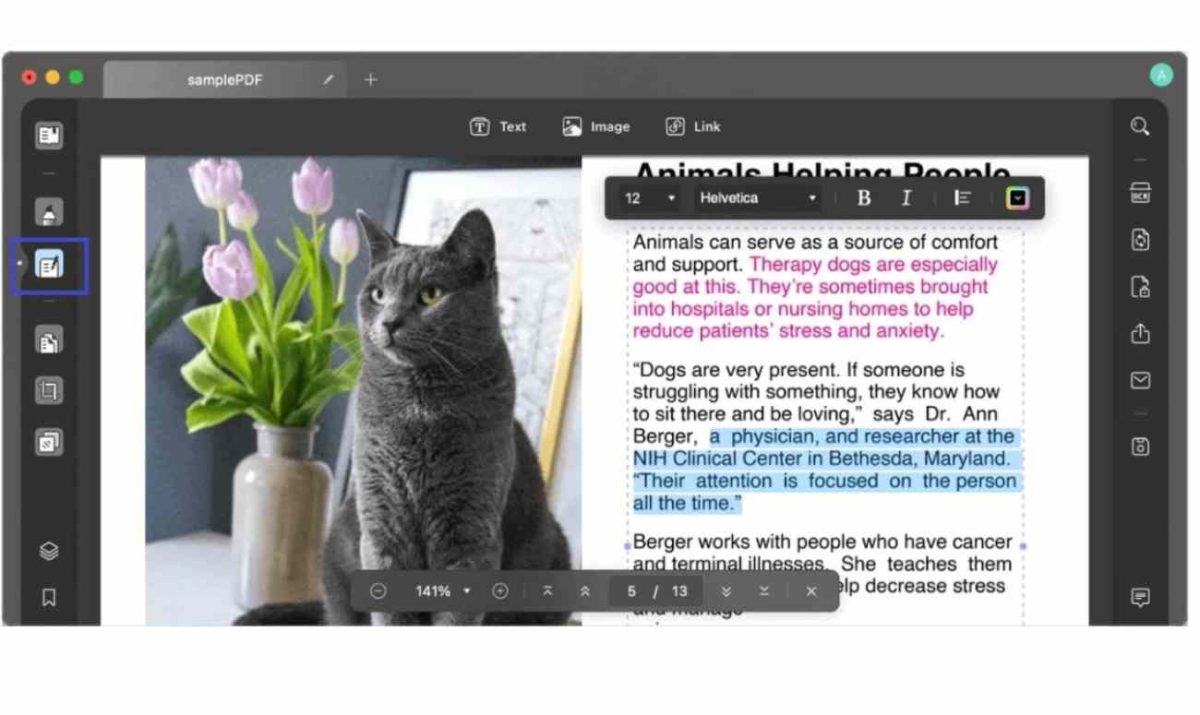
Gear up for professional PDF editing with UPDF PDF Editor! This AI-powered PDF editor delivers top-notch features that’ll supercharge your PDF editing game. Effortlessly edit text, images, and links and customize backgrounds, headers, and footers in a snap! And here’s the kicker. It lets you add watermarks for those extra ownership rights!
Convert PDFs Accurately with OCR
When it comes to converting PDFs, UPDF is no slouch. With its command over a whopping 38 languages, UPDF will convert your scanned PDFs, paper documents, and images to searchable and editable PDFs. And it does not stop there! Take it a step further to convert PDFs to CSV and all the popular Office file formats like Word, PPT, and even Excel!

Exploring UPDF’s Latest Features!
Alright folks, moving on with our exploration of UPDF’s powerful features, UPDF has introduced not one, not two, but three new nifty features!
- Create and Fill out Forms Anytime and Anywhere: With UPDF, you can craft interactive PDF forms by using text fields, checkboxes, dropdowns, and a lot more. Plus, you can fill interactive and non-fillable forms without intricate navigation in a breeze!
- Authenticate PDFs with Digital Signatures: UPDF lets you add authenticity to your legal documents and contracts with digital signatures. Plus, you can customize and add electronic signatures of your choice!
- Redact Sensitive Information: If you are worried about confidential information when sharing your PDFs, UPDF is here to save the day! UPDF’s redact tool is like no other, letting you redact text, images, and even pages in one go!

So, there you have it: a complete rundown of all the PDF handling features of UPDF. It is the ultimate game-changer in the world of document handling with its comprehensive PDF-editing prowess. And the best part? You can harness its professional features at a mere 12% of the cost compared to competitors like Adobe Acrobat.
But there is more to it! UPDF is now offering a 63% discount on the Black Friday Sale. So, it is time to handle your PDFs like a pro with UPDF. Give it a whirl and make use of this golden chance to download UPDF at an incredibly low price!
UPDF vs. Adobe Acrobat: Who Aces the PDF Game?
Alright, folks, we all know Adobe Acrobat stands as a popular PDF editor, but is it truly living up to its reputation? Let’s unravel the winner in this head-to-head showdown.
- Compatibility: Adobe Acrobat demands extra costs for Mac, iOS, and Android users, whereas UPDF seamlessly operates on Windows, Mac, iOS, and Android without additional charges.
- Pricing: Adobe Acrobat commands a hefty $155.88 annually, while UPDF comes in at a wallet-friendly $29.99 per year.
- AI Assistant: UPDF takes the lead with an integrated AI add-on, leaving Adobe Acrobat in the dust without AI features.
- OCR: Adobe Acrobat requires an extra financial commitment for OCR, whereas UPDF includes powerful OCR at no additional cost.
- Advanced Features: UPDF steals the spotlight with its advanced features, boasting a slideshow display, 100+ annotation stickers, and support for advanced conversion formats. Meanwhile, Adobe Acrobat falls short in this department.
There you have it! In our UPDF vs. Adobe Acrobat showdown, UPDF emerges victorious. Offering a comprehensive suite of features, UPDF not only streamlines your workflow but also saves you time and money.
Conclusion
Say goodbye to endless printing and editing of documents with UPDF’s paperless workflow. Whether you are a Mac or iOS user, UPDF has you covered with its multi-platform support. Plus, UPDF offers more features at a pocket-friendly price compared to its competitors. So why wait? Download UPDF now at a hefty 63% off on the massive Black Friday Sale! Let UPDF handle your documents and watch it transform your workflow with its powerful features.