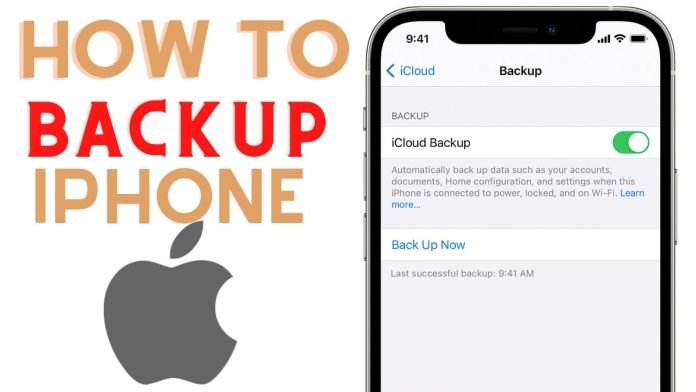
If you have ever lost your important document due to negligence of not making the necessary backup of your devices when you made a funny mistake of deleting your files. To Not repeat such a scenario you need to make proper backups and this is a tutorial on how to backup your iPhone or other Apple devices without stress.
There are a few easy methods in which you can use to backup your iPhone or Apple device easily but before we moved over to these methods you need to know and understand the reason you need to backup your iPhone or Apple device.
3 Good reasons Why You Need To Backup Your iPhone
- In case your iPhone gets stolen
- If your iPhone gets broken or spoilt.
- Another good reason is maybe you deleted an important file, contact, or even a photo by mistake that you will definitely need, if your device was backed up you can easily restore those lost documents, contacts, or photos.
Now that you know the reasons why you need to backup your iPhone device, a lot of people will be looking at the kind of storage space the backup application offers.
In all iPhone devices, there’s iCloud and it offers only 5GB of storage space for free which is too small because of the kind of things you wish to backup although iCloud is pretty much easy to use, so I found two applications that can satisfy your storage needs.
How To Backup Your iPhone With Google Drive
This application can help you back up any kind of file on your iPhone device and the best part of it is that Google Gmail offers you 15GB of storage space for free, which I think is really good.
Steps To Backup iPhone Via Google Drive
- Download the Google Drive application.
- Open the application.
- Sign in using your Gmail details.
- At the bottom right corner, you will see a ‘plus sign’ click on it.
- You will see “UPLOAD” click on it.
- Then select the type of data you want to upload in the drive (photos, videos, documents, etc).
It’s just as simple and easy as that.
How To Backup Apple Device with iTunes
This is another good way to backup your iPhone or other Apple devices through an application called iTunes Software. You can use this software from Apple to backup your iPhone device, we all know that with iTunes we can buy books, music, and apps on Apple Store.
Steps To Backup Your iPhone / Apple Device Via iTunes App
- Connect your iPhone device to a computer.
- Open your iTunes app on your computer.
- On the top left corner of the iTunes app select the “iPhone icon”.
- At the backup section thick ‘This Computer’ and also thick ‘Encrypt local backup’.
- Now enter a new password to encrypt your iPhone backup (remember to keep your password safe because if you lose it there will be no way you can retrieve your backup so I suggest you write it down and keep it safe) then select ‘Set Password’. iTunes will start backing up your iPhone, so wait for it to complete the backup process.
- After successful backup, you are done.
So guys I think this application will definitely satisfy your hunger for more storage space on your devices if need. the steps given to you all is how to backup your iPhone or Apple device with ease.