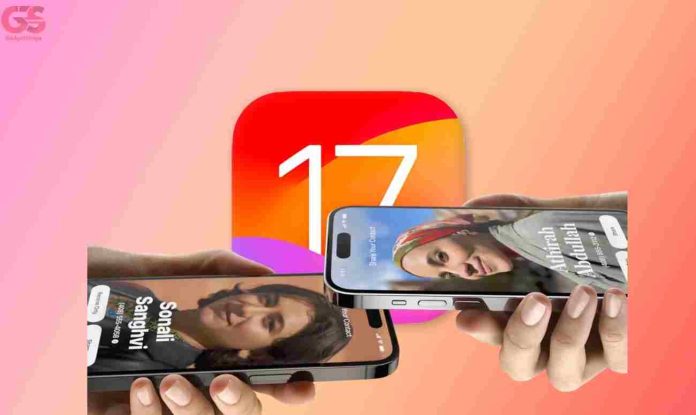
The iOS 17 feature is probably the single biggest update that iPhones have ever had, you can do multiple timers at once, you can automatically clear out any used Verification codes from your emails, you can reply to messages by swiping right, you can show it a photo of a meal and it’ll tell you how to make it and these are just the little things.
So, here are the 9 Features that you need to know. Bear in mind that the iOS 17 has an upgraded language model or in other words, your phone will better understand what you’re trying to say.
iOS 17: TOP 9 Features To LookForward To On iPhone 15 Series
1. Auto-Correct
Autocorrect is noticeably more accurate now and you can test this side by side with an iOS 16 phone and see how it just gets those subtle human nuances and dictation. When you talk you will be able to see one word behind what you’re saying just waiting to hear your intonation so it knows whether to add a comma or a question mark and even sorts the apostrophes play.
2. FaceTime
Here the upgrade is just something else, when you react to things you’ll get these augmented reality effects that I guess are just there to amplify that expression. It’s not useful and I can imagine you wanting to turn the feature off but I do like that you have to be quite purposeful if you want to trigger them. The best part of this feature is that when you call someone you can leave a FaceTime message if the person doesn’t pick up.
3. Airdrop
So, technically this is another good and simple feature that makes sense to me. What you have to do is to open the media you want to share Click Share and then click Airdrop and potentially the phone you wanted to Airdrop, Just bring two iOS 17 plus phones together and the transfer initiates.
RECOMMENDATION: How To Use Apple Airdrop To Send Files on Mac, iPhone & iPad
4. Siri
There’s an upgrade on Siri too and I’m particularly glad that Siri is getting some love because it feels like it was introduced 12 years ago as the future of how to interact with your phone and then it just sat there while Google Assistant has been getting better at a much faster rate.
Siri now responds to just the word “SIRI”. You don’t need to say hey anymore. We’ve now got continued conversation which to be fair Google Assistant has had for a long time but I would say is the single biggest improvement that Siri has had from the very beginning because it means you can have a conversation with it without needing to tap the button every single time.
5. Safari
This is another big update to iOS 17. You can make profiles like work and fun, it’s a bit convoluted. You have to go into the settings to make those profiles before you can use this but once you’ve done that you can flick between these different modes by tapping this icon.
What is cool is that they’ve also made the tab groups experience better. You used to have to switch between them but now you just swipe so when you’re in a tab and you swipe it swipes to the next tab in the tab group you’re in and then when you zoom out to look at all your tabs in the group you can swipe to change the group.
6. Standby Mode
So as long as your phone is locked on charge in some way it can be Apple’s wireless charging stand which is very fancy. Just make sure it’s in horizontal mode and it’ll activate a new interface. There’s a widget screen that lets you pick from a bunch of different interactive titles, a photos page, and then a clock page.
The best part of this is that if you’re really into sports being able to see live scores without actually having to find a place to watch it and the distraction element of that I think that’s great and it has automatic night mode too.
7. Widgets
The interactable widgets do not end with standby though. With an iOS 17 home screen, you can call someone directly from it and you can configure it as well.
8. iMessage
By far this is what I’m most excited about in iOS 17. For starters, they’ve got a new interface which is very promising plus the speech detections just got so much better. When you send a voice note it instantly transcribes it and it’s smart about it like if you send a 15-minute recap of your life it knows that that’s something the other person needs to listen to to get.
One other thing I like about this feature is that you might be in a situation where you can’t type but then iMessage can turn that message into text so the other person can get the contents of that message in whatever the most convenient way is for them at that time.
9. Stickers
iOS 17 has made this feature very easy and pleasing to the eye. So, let’s say you’re browsing your photos and you come across a particular photo you want to use, just hold down on the face and click create a Sticker that’s all. This is something that you can now drop straight away into messages.
You can turn those digital stickers into what feels like physical stickers with different effects that respond to how you tilt your phone. I was so impressed when I saw this feature not because it’s bleeding-edge Tech but just because it’s a clever human feeling and direction that leverages the tech you already have now.
Conclusion
I’m sad to see that there’s nothing majorly new for the Dynamic Island considering that it’s one of the newest Hardware features but overall these features so far are the latest upgrades on the iOS 17.