Email usage has undoubtedly increased with the rapid digitization worldwide; Microsoft Outlook has become an essential tool for any business organization. All sorts of communications are being handled in the form of an email lately because of its time and energy-friendly factors. With the rising demand for email usage, issues arise, such as Outlook stuck on loading profile and so on.
So, what’s the remedy for that? Email Repair tool is listed as one of the popular tools on the web. Repairit enables you to repair your emails even on Windows 7; today, we will discuss its features that let you restore emails.
Part 1: What Are the Primary Reasons for Outlook Profile Corruption on Windows 7?
Before we move forward with the remedy for restoring your Outlook from being stuck on the profile page, let’s first discuss some primary reasons for this frustrating situation.
1. Hard Drive Failure or Bad Sector
The hard drive is a core part of a computer system meant to be handled with care, or it can always put your primary data at risk. If your computer hard drive has been damaged or contains a bad sector, there is a high chance of data corruption. Your essential data getting damaged is a panicking situation, so you must ensure your computer hard drive is kept intact. Hard drives can be damaged due to various physical or hardware issues.
2. Virus or Malware Attack
As technology is evolving, viruses are also getting advanced. Viruses and malware contain the ability to destroy your data from its roots without even letting you know. These vicious viruses make their way into your computer system through random ads and links which appear while browsing. After entering the system, they start damaging and corrupting your essential files and other data.
3. Reckless Shutting Down of Computer
We all have once made the mistake of turning off the computer in haste without closing the already running files. Even though, most of the time, the improper shutdown isn’t considered a threat; still, you can’t deny that it can cause issues like data loss or system failure. While working on something important like a vital email and shutting down the system recklessly, there are high chances of that email file getting corrupted or even erased.
4. Large Sized Email Files
Dealing with large-size PST or OST files on Outlook can also corrupt your data files. Even though Outlook has dramatically improved its system capacity in a few years, it can still crash. If you’re dealing with huge-sized PST or OST files on Microsoft Outlook, it can corrupt your data or even crash the whole Outlook operation. Issues like Outlook getting stuck on the profile page usually happen while dealing with big-sized PST or OST files.
5. Usage of Third-Party Software
As Outlook has become a vast platform, developers create plug-ins and use third-party software to enhance its functionality through different tools and software. Mostly this software and third-party software doesn’t have a harmful effect, but sometimes it can backfire. Sometimes these apps come face to face with Outlook and can lead to risking your Outlook PST or OST files and so on. This is why always refrain from using any plug-ins.
Part 2: Introducing Wondershare Repairit For Email As The Perfect Outlook Profile Repairer on Windows 7
If you’re facing an issue of email file corruption on your Windows 7 device, check out the advanced Repairit Email Repair tool. It has a user-friendly interface and stylish design that lets you restore your corrupted emails in a few minutes. Trusted by thousands of its users, this tool is compatible with Windows and Mac and even works on Windows 7. Besides its compatibility factor, it supports both the PST and OST file, which are commonly used email formats of today. Cool, right?
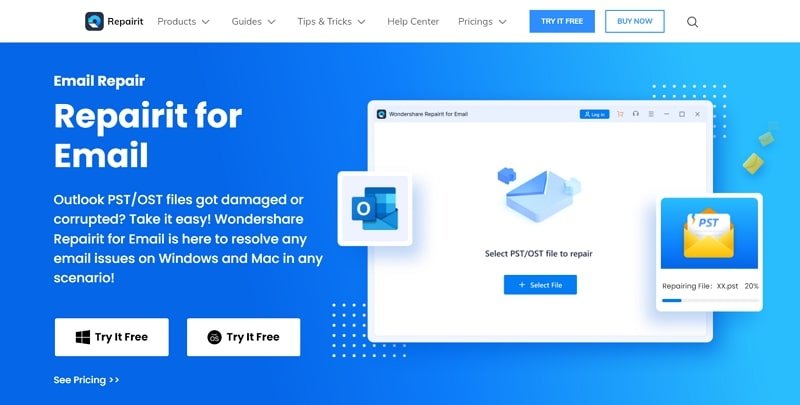
Other than its simple interface, Repairit offers features such as batch repairing, by which you can repair multiple emails simultaneously without fear of crashing down. Moreover, its preview feature lets you preview the repaired data to ensure the success of the repairing process before saving it on your Windows 7. The success rate of 95% is cheery on top, making this data repair tool one of the best contenders on the web. So now you know what tool to use whenever you encounter an issue like Outlook crashing or PST/OST file corruption.
Part 3: How to Resolve Outlook Profile Issues with Repairit for Email with Ease?
How to repair corrupted email files with the Wondershare Repairit? In this short yet helpful tutorial, we’ll guide you on how you can restore corrupted email files on Repairit with ease.
Step 1: Upload Corrupted PST/OST File
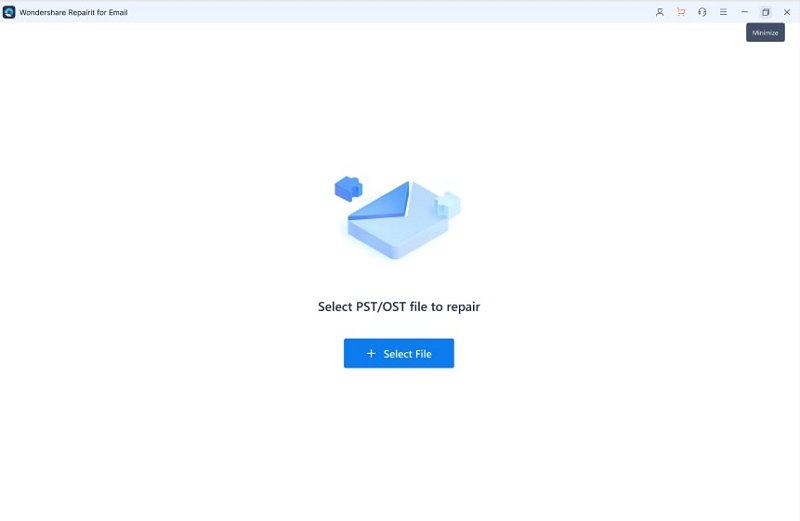
First of all, go to the web and download Wondershare Repairit on your Windows 7 and then launch it successfully. Then from the default settings, you’ll see the Repairit for Email along with both PST and OST file formats supported. Click on the “Select File” option with a + sign, and now a tiny pop-up window will open from where you need to upload the corrupted email files(s).
Step 2: Start Repairing Process
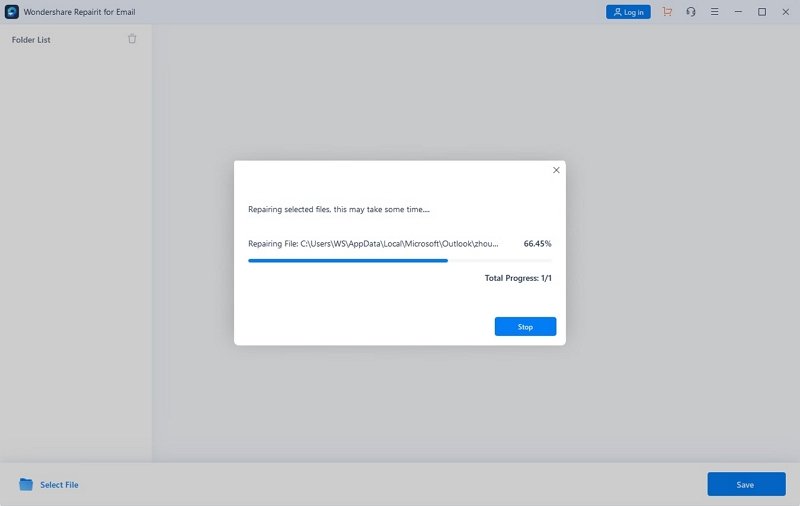
Once you’ve uploaded the corrupted email file(s), click on the blue “Repair” button to start repairing the corrupted file(s). The repairing process might take a while if large-sized files are involved.
Step 3: Preview Repaired Emails
When the repairing process of the corrupted file(s) is completed, you get an option of previewing the repaired files with the fabulous preview feature. After fixing, all the repaired data will be displayed on the left panel; you can double-click on any email to preview it. Once done previewing the files, you can save them on your Windows 7 simply.

Conclusion
The issue of Outlook crashing on the profile page has become quite common, resulting in email file corruption. With the wonderful Repairit Email Repair tool, you can undo these panicking scenarios on your Windows 7 by restoring your corrupted data back to normal. Its easy-to-use interface makes it beginner-friendly and lets you repair your PST and OST files within a few quick steps.