Are you tired of seeing your efforts at posting quality video content to your social media channels ignored? Do you wish you had the ability to produce engaging content to give you the viral hit you’ve been waiting for? When you post your videos, are you embarrassed by the lack of technical know-how you possess?
If the answer to any or all of these questions is yes, then we may well be able to help you.
Producing high-quality videos for your social media channels or perhaps a student film or any other purpose is actually far more accessible now than it’s ever been. The technology available is now reasonably priced, and you can shoot professional-level productions just by using your smartphone.
The quality of the cameras in most smartphones today is more than sufficient to produce first-rate videos, and there are many ways to help aid the process, some of which are more straightforward than others.
Here are a few tricks that should help you produce great videos using the smartphone you have in your back pocket.
Lighting is Key
While you could look to invest in lighting rigs and gels or even outsource this aspect to a professional service, often the answer is far more straightforward. Try to make as much use of natural light as possible.
This means shooting outdoors when the conditions are perfect and cutting back on nighttime shoots. Alternatively, if you are filming indoors, make sure the relevant room is well-lit and not subdued or overexposed from a lighting perspective.
Your smartphone will almost certainly also have functions that help you in this area. Some have touch-focusing tools that will help you balance the light. Also, be sure to make use of automatic exposure settings, which you may or may not need, depending on your setup.
Keep it Steady
Unless you are looking to film the next installment of the Bourne series of movies, there is no need to have a shaky cam effect. While there are, on occasion, stylistic reasons for unstable filmed footage, on the whole, you’ll want to keep everything well stabilized.
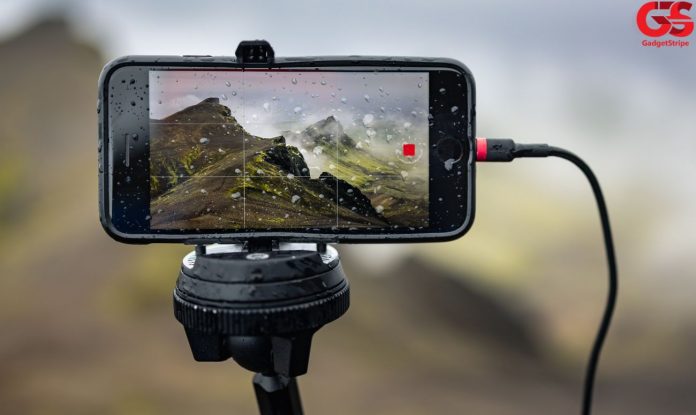
Consider investing in a tripod or stabilizer or simply rest the phone on a stable surface or perfect the art of holding your smartphone in a way that gives you the best shot at keeping it steady.
Always Shoot In Landscape
Always shoot your videos in landscape mode. Be sure to set your camera to landscape orientation and not portrait. The reasons for this are not just aesthetic, though that is a big part of it, but also because when viewed on a screen that isn’t your phone, the visuals will better fit a TV or other relevant device.
Additionally, you’ll catch more of what’s going on.
Learn How to Edit
You don’t need to be a professional video editor, but you do need to learn how to get the most out of your recorded content. In order to do so, you’ll have to get familiar with any type of high-quality video editing software. Really dig in and see what magic you can create.
Learning how to edit not only helps you put together a professional finished product, but you’ll also work out how to extract as much value from your content as possible. For instance, you might want to chop down your initial video into smaller chunks for teaser trailers or short-form video content drops, such as an Instagram story.
Don’t Zoom
However state-of-the-art your camera is, the moment you start to zoom, you will lose quality, and you can also make your audience feel more than just a little nauseous. If you want to see something closer, move toward it.
The act of the movement toward the subject also adds something from a narrative perspective.
Framing
Learn about the ‘rule of thirds’ when it comes to framing your video. Use the gridlines offered by your smartphone to help you line up your subject. In short-hand terms, the ‘rule of thirds’ essentially just means that you break down an image into nine segments, like a tic tac toe board, and then it’s all about where you choose to aim the focus of your shot, either in a central position or broader in the frame.
Don’t Forget the Audio
It’s very common with handheld videos, and especially those shot with a phone that it’s the audio that spoils the recording. Poor audio can completely ruin your video, and though this can be repaired in post-production, this is a headache you will want to avoid.
Your smartphone’s built-in mic isn’t usually going to do the trick. These will always be affected by conditions, such as the wind, so consider investing in additional devices to capture the audio. This may be less important when filming indoors, but even then, the mic on your smartphone is likely to pick up sounds and noises you didn’t want, so get a directional microphone, which does not cost a great deal but can make a massive difference to the quality of your videos.
Effects
Today’s best smartphones offer you all sorts of neat tricks and effects that could add a little something to your production. This might take the form of some type of time-lapse effect or maybe augmented reality set-ups. Play around with your phone before you start shooting and see how these can aid you and your video production.