The beauty of the macOS is the quality of the apps available for the platform. There are a ton of great apps for macOS and I want to talk about some of the best Mac utility apps of 2019 which you probably might not know about them anyway.
These apps are selected based on the fact that they might not seem existing to you and they might actually be known to you but what they do is more important and you might not what they can do to make things easy. So let dive in to see some of the Best Mac Utility Apps You Must to Have.
The Top Best Mac Utility Apps To Have
UNCLUTTER

My first choice on the Best Mac Utility apps on macOS is the Unclutter app also one of my favorite MacOS utility apps. Unclutter is a management app that allows you to store clipboard, drag files and make notes in one easy to access interface. The unclutter Features includes:
- Clipboard Manager: This shows you everything you’ve copied. The manager includes clipboard history, clipboard favorite and editing of text clips.
- File Manager: allow Drag-and-drop files from Desktop, Finder and other apps, arrange items by date, name or kind, search files by name and Auto-sync files across all your Macs via Dropbox.
- Notepad: which you can jot down any ideas and get back to them.
You’ll have to pay $10 to get the full version.
Apple Products and Event in 2019
CHEAT SHEET
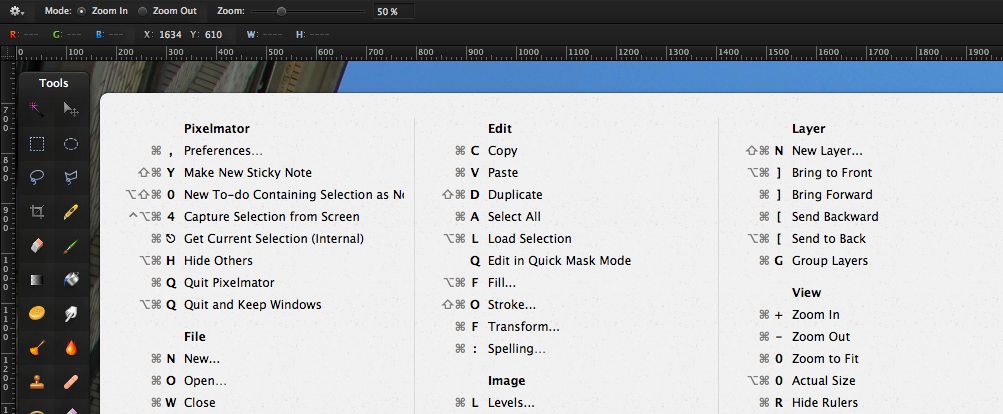
The next app on my top 10 best mac utility apps you need to have is the cheatsheet software. This app is for those who have a hard time remembering the keyboard shortcuts.
keyboard shortcut is a great way to make things faster but if you want to know all keyboard shortcuts you have to go inside body, menus and things like that.
With the Cheat Sheet app, whenever you need a keyboard shortcut just press and hold the command key and the Cheat Sheet brings all the keyboard shortcuts of the app. Cheat Sheet is a free app.
IINA Media Player
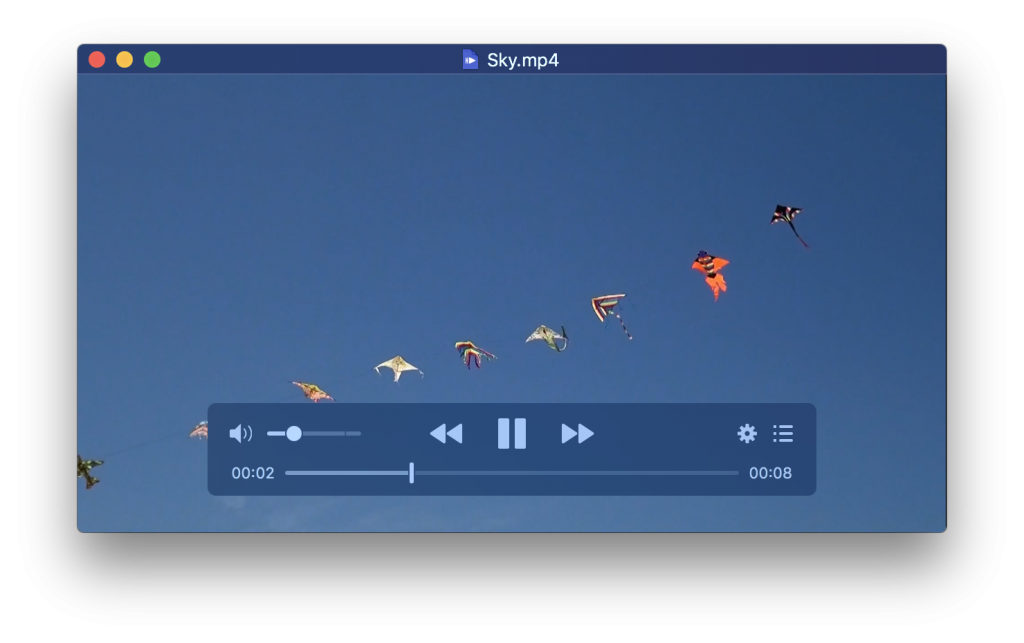
IINA is a media player app, which is a great alternative to the QuickTime Player on the Mac. The IINA app has great features like
- Easy to use User Interface.
- Support multiple multimedia file formats.
- The dark mode is supported.
- Automatically find and download subtitles.
- Gesture control is supported and can be customized.
The IINA media player is a free and open-source media player.
NIGHTOWL
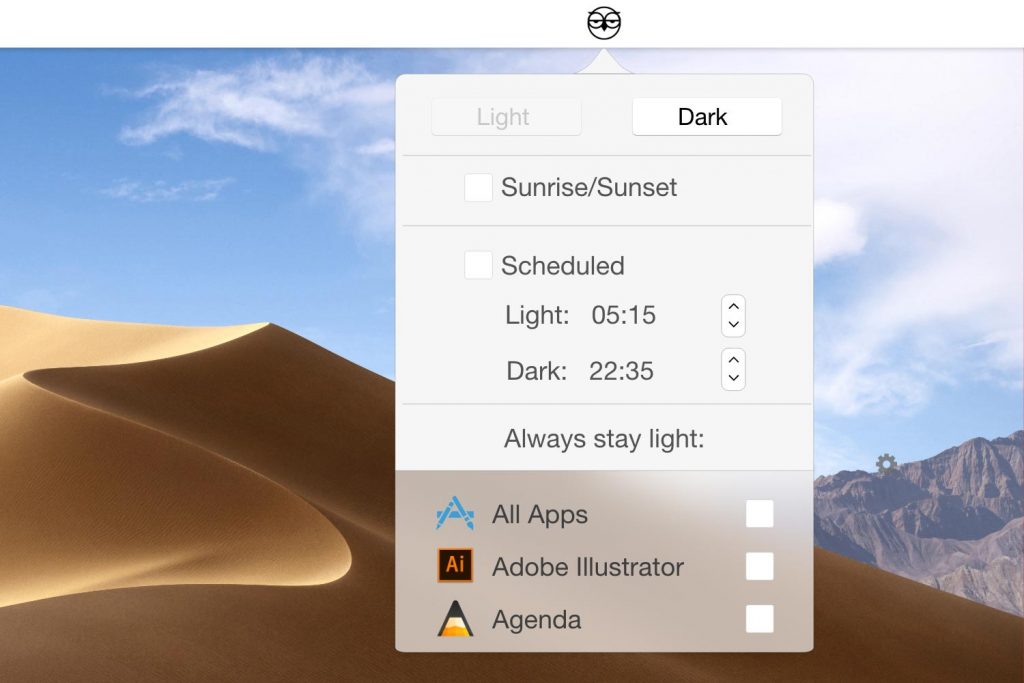
An app you need when you want more control over the dark mode in Mac OS. NightOwl is one of the best Mac utility apps that allows you to easily manage which of your Apps should stay light, while your Mac OS runs in Dark Mode. It also lets you schedule when to switch to dark or light mode through a timer.
Nightowl is a free app that you should definitely check it out now.
SPECTACLE
This is a multi-tasking tool. This is a simple app that allows you to open multi-windows of application. You can generally use two apps side by side and it’s so intuitive. Spectacle feature keyboard shortcuts and they are customizable. This is why I included it in my to best mac utility apps which you must have on your PC.
This App is absolutely Free.
ITSYCAL

This is ITSYCAL and it is a very useful app that allows you to view time, the date on the menu bar icon. A calendar option is also included if you like to add events. There is a dark mode feature on the app and a customizable system clock replacement.
This is a free open-source tool.
HAZEL

This is an app for organizing files. Hazel helps you organize and sort your files automatically even if you just download a file. The Automatic file sorting can be performed by setting rules where each file should be stored or deleted automatically from Trash.
Hazel is available for a free trial and for the full version you have to pay $32.
FLUME

This is an app just like Instagram web but with flume, you get great features and a beautiful interface. Flume allows Instagram clients access feature limited to the web version. With Flume you can:
- Upload a Photo or Video.
- Have access to column or grid view.
- Check your notifications and messages.
- Access to use multiple accounts.
Flume is available for free but the ability to upload photos and use multiple accounts is limited to the Pro version which is priced at $20.
TOOTH FAIRY

Tooth Fairy is an app that makes connecting to wireless devices on the Mac super easy. With Tooth Fairy, you can create a separate menu bar shortcuts for different wireless devices. You can connect with them with just a click.
Tooth Fairy is available for $5 on the app store.
VANILLA
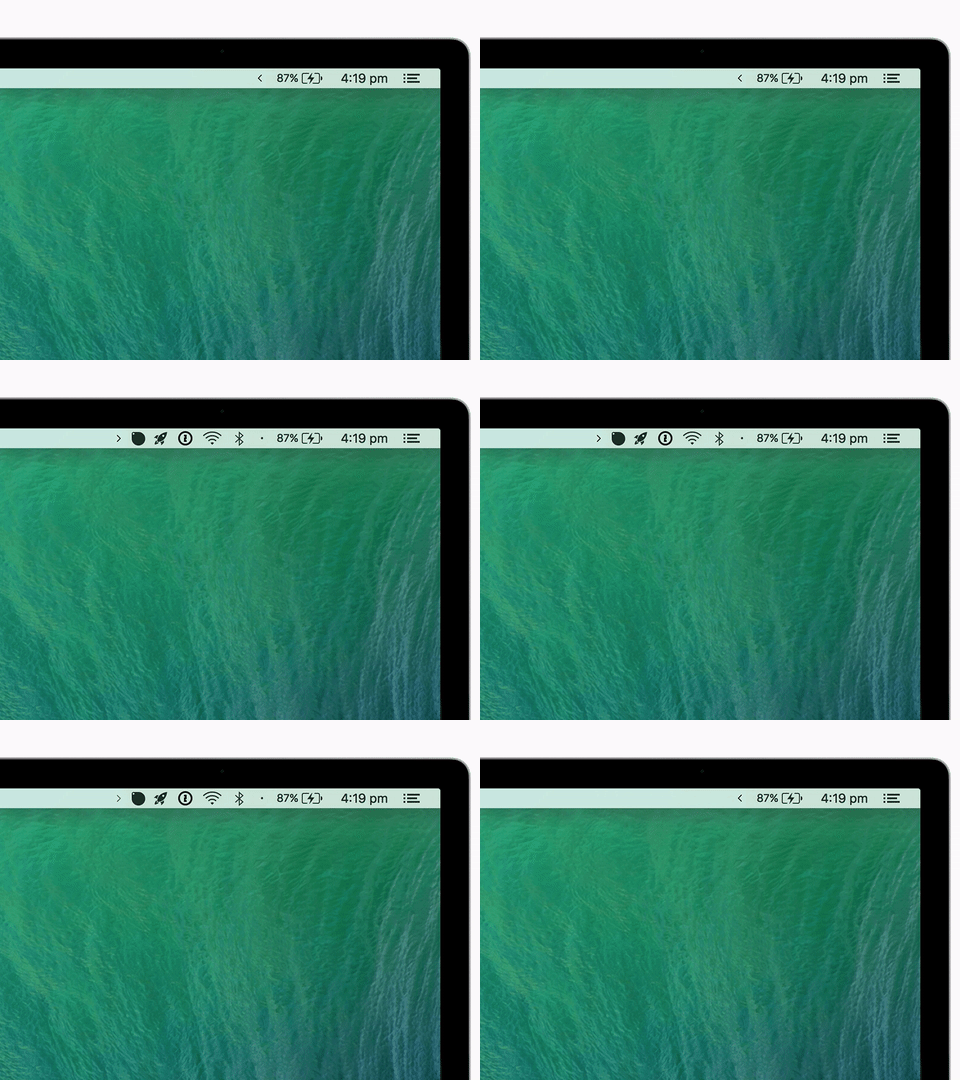
This is the last selection on my best mac utility apps which you should have on your PC tool is a very handy app for removing clutter. Vanilla is a tool that removes the cluttered App icon from the menu bar.
Apple’s Best Device Yet With A Square Camera design
With Vanilla, you can just move the icons or hide inside this dot mark. There are other apps with similar functionality but vanilla is basically Free.
These are the amazing Mac utilities I fully recommend to you. Please click on the link if you need the app and also comment if your favorite utilities app is not listed above.