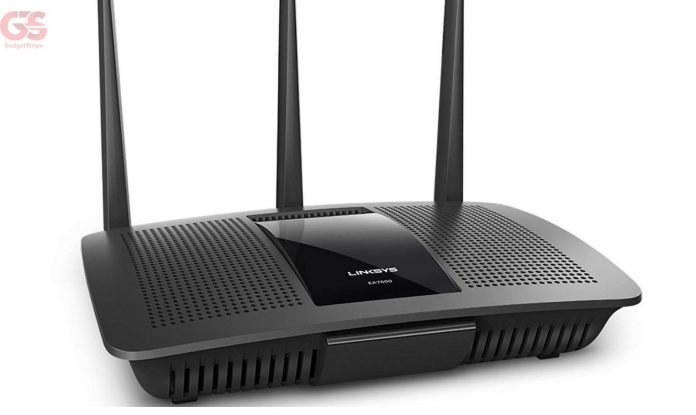
With the increased demand for Wi-Fi connectivity, it’s more important than ever to equip your home or business with a capable wireless router. so you might actually be thinking about how to buy a router?
Having Wi-Fi in your home, office, and other places is a must-have for everyone. Wi-Fi in every place is important so having the right Wi-Fi router to buy is important. Now, the most important is selecting the best Wi-Fi router to buy, and so many things are to be considered.
Here is what You should know before buying a new wireless router & you might also want to get the best wifi router.
What To Check When Buying A Router
Network Band
A Wi-Fi router can operate on 3 different bands, these bands operate on various devices.
The three different Bands are:
- Single Band
- Dual Band
- Tri-Band
Single Band router: can only operate on a 2.4 Gigahertz frequency and are less expensive. Using this band, connected devices have to compete on the same radio band as microwave ovens and Bluetooth devices.
This band is suitable for web surfing and social media services.
Dual Band Router: can operate on two bands, the 2.4 and 5 Gigahertz frequency. The 5 Gigahertz Wi-Fi band tends to be less crowded with minimal signal interference and offers more throughput.
This band is suitable for gamers and video streamers especially If your video stream from services such as Netflix or connect to online gaming services such as Xbox Live.
Tri-Band Router: this is a three-band router that operates with a single 2.4 Gigahertz and dual 5 Gigahertz bands. This band is great for those with heavy network traffic, householders with lots of devices, lots of video streaming and downloading, and online gaming.
Wireless Networking Protocols
For a router to send or receive data, it needs to make use of wireless network Protocols like the 802.11 protocols.
Here are the different types of Wireless Protocol
- 802.11b
- 802.11a
- 802.11g
- 802.11n (Wi-Fi 4)
- 802.11ac (Wi-Fi 5)
- 802.11ax (Wi-Fi 6)
802.11b – is the first wireless protocol and it is used in homes and businesses. It can only be operated in 2.4 Gigahertz frequency with a maximum speed of 11 megabits per second.
802.11a – works on a new frequency which is a 5 Gigahertz band. It can only be operated in 5 Gigahertz frequencies with a maximum speed of 55 megabits per second.
802.11g -is an improvement of the 802.11b, it works like an 802.11b but with a faster transmission speed of 55 megabits per second. The signal transmitted by 802.11g can be used on 802.11b devices.
802.11n – is the most used Wi-Fi protocol with maximum transmission rates of up to 600 megabits per second. This protocol operates in both 2.4 and 5 gigahertz bands and utilizes a new technology called MU-MIMO technology. The MU-MIMO technology allows a router that uses several antennas to send and receive up to four spatial streams to improve performance.
802.11ac – is an improvement over the previous protocols, it is also known as Wi-fi 5. The 802.11ac comes with dual bands, the 2.4 and 5 Gigahertz bands, and can operate on the same band at the same time. The 802.11ac offers:
- Wider channel bandwidth of up to 160Hz.
- bandwidth to many devices (more devices can receive data from the router at the same time).
- Beamforming technology (it allows you to send Wi-Fi signals to a client rather than broadcasting in all directions)
802.11ax – also known as wi-fi 6, is the newest release of the 802.11 protocols. Wi-fi 6 can connect so many devices and applications by increasing network efficiency to meet each of them.
Wi-Fi 6 features:
- OFDMA technology (orthogonal frequency division multiple access)
- MU-MIMO technology (multiuser multiple-input, multiuser multiple-output)
This technology allows more devices to connect simultaneously.
Wireless Features
When you buy a router, you need to consider the features like ports to connect to wired devices. In choosing a router, choose one with at least four Gigabit Ethernet ports, one USB or USB type-c port, and one that offers removable antennas.
if you tend to get a router, make sure it has these features:
- parental control.
- quality of service options
- guest network feature
Parental control is a feature that is ideal for parents, it gives control to managing their child’s online activities and social networking. A feature that grants you the ability to limit network access for certain users and specific times and days.
Quality of service settings allows you to manage data traffic to which applications and clients get network priority. for example: if there are two devices, one device is gaming online and another is downloading – you can give priority to the downloading device to avoid slowing the speed.
The Guest network allows you to create a new separate network with a set identifier and this allows you to offer Wi-Fi connectivity without letting your network become vulnerable.
Wireless Security
WPS is Wi-Fi Protected Setup. The WPS button is a feature that allows you to simplify connections between compatible devices with the push of a button. To use this feature, press the WPS button on both routers (yours and the client’s device) to add it to your network.
WPA is Wi-Fi Protected Access, it gives you more secure connections. WPA gives the owner of a router the ability to set a password and each device requires this password for the connection.