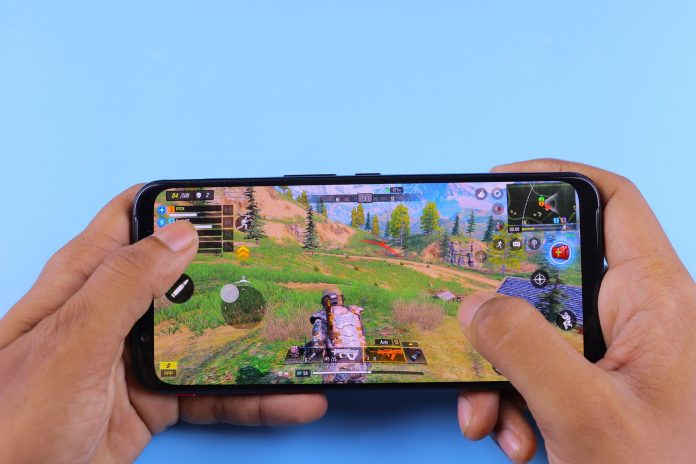
Best gaming experience on Android? Are you a hardcore gamer on Android? if it is a Yes, That’s exciting!
Are you have issues whenever you try to play your favorite game on an Android device? We feel you!
The good news, there are many tips and tricks on getting the best gaming experience on Android. Here are just 6 simple tips on getting that experience right now!
6 Steps To Get The Best Gaming Experience

Goodbye, Cached Data!
“Many times, cached data is the culprit for why your Android device might be running slow,” says Dennis Cambridge, a business writer at Academicbrits and Phdkingdom. “In fact, cached data is unimportant information that accumulates whenever you visit a website or app. So, getting rid of cached data regularly can help your device run faster, allowing for better gameplay.”
Here’s how to clear cached data from your Android device:
- Go to “Settings.”
- Click on “Storage.”
- Click on “Cached Data.” Be sure to clear it for all apps, including the games that you play. You can also clear cached data from apps individually by going to “Manage Apps.”
Hello, Faster Internet Connection!
Another thing to look at is your Internet connection. Is it lagging? Is it cutting off every so often? If so, you may want to switch to a faster connection.
Online games operate… well, online. The same is true for games and apps that have the following:
- Online multiplayer
- Online matches
- In-app purchases, etc.
So, if you want to play an online game on Android, you’ll need a good Internet connection for it.
Goodbye, Live Wallpapers And Widgets!
Live wallpapers and widgets can be nice to have. However, they can take up space on your Android device and, quite possibly, ruin your gaming experience. So, if you don’t want to put up with the lagging and slowing down of the device, then tell those live wallpapers and widgets “goodbye” by getting rid of them ASAP.
Speaking of getting rid of things…
Goodbye, Unwanted Apps
Have any apps on the Android device that you can do away with? Then get rid of those too, because they can also take up a lot of space on your device.
However, make sure you check to see which apps can be easily gotten rid of. There are certain apps that have to stay on your device, or else the device itself will “act up” or make other apps “misbehave.” (Usually, the device will put up a warning when you try to delete an app that the deletion may cause the device or other apps to “act up.”)
Hello, Game Updates!
“Every once in a while, games and apps will need to be updated to ensure great user experience,” says Lester Farley, a tech writer at Assignment Help and NextCoursework. “In fact, many developers are obligated to update their games and apps, so that they perform well as technology progresses. That means that the game or app needs to be free of bugs, have the necessary patches to work, and be playable for all users.”
Now, one thing to note: Be sure that the update will benefit you and your device. Check the user reviews online, so that the update doesn’t come with its own bugs or issues.
Hello, System Update!
Finally, give your Android device an update as well. Like many devices these days, Androids need updating of their own. Updates usually involve the systems, the software, and so on. These updates are to ensure that the device can continue to run better and faster.
Just keep in mind: You’ll need to read up on online reviews first, before attempting to update your device. Sometimes, like games and apps, system updates can come with their own bugs and issues. So, be sure that it’s safe to update before going for it.
If it’s safe to update Android, then do so in the following steps:
- Go to “Settings.”
- Click on “About Phone.”
- Click on “System Update,” and see if there are any updates available.
- If you see an update that’s available, click on “Download Update.” This will prompt the device to start updating. You may want to plug in your device, so that the update doesn’t drain your battery.
Conclusion
Ultimately, the best gaming experience on Android comes from the user. By knowing the tips and tricks on optimizing your device for gaming, not only will you get faster and better gameplay, but you’ll also have fun gaming!