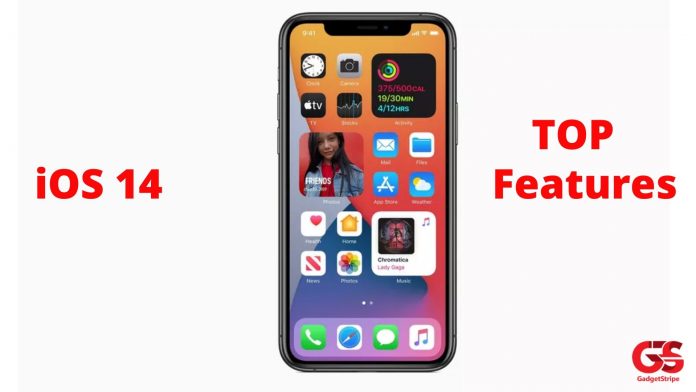
Finally, we have the new iOS version which we all have been waiting for since last year. On June 22, 2020, at WWDC 2020 Apple Inc. Finally made the announcement of the iOS 14. This article is here to list all of the known iOS 14 features we have on iPhones and the coming iPhones.
As we look forward to the release of the iPhone 12 device since we already saw the iPhone 11, iPhone 11 Pro, and also the iPhone 11 Pro Max from last year’s Apple event. Which means this year we will be getting the new iPhone 12 devices.
On the next iPhone devices, they will run on the new version of iOS – iOS 14. Also, some of the existing iPhone users back as far as to iPhone 8 will get to use this new version of iOS and this is why I have decided to come up with the new iOS 14 features for the future and existing users to know about what they will be getting.
Top iOS 14 Features For New iPhone users and Existing iPhone Users
1. Widgets
This one of the iOS 14 which everyone even the Android Users have always wanted to see on iPhone devices. Now Apple has brought this to iOS 14.
With widgets on iOS 14, your iPhone devices will have redefined widgets. Each app will have a well-designed widget which you can add in-between home apps list on all app list page and these widgets are in different sizes.
2. Compact UI
Having a compact User Interface is cool as anything which anyone would love because it makes the way you see your apps and the device itself in a different way because of the compact look.
For example, when you receive a phone call, it appears as a banner at the top of the device instead of filling the whole screen which can obstruct your current operations on the device.
I love this compactness in the User interface because it works for other preinstalled apps like Siri, and the likes.
3. Picture in Picture
Some Android users have always loved to use this feature on their device I love how this feature works on Samsung Phone.
Picture-in-picture features make it possible for you to play movies and minimized the movie into a small floating portion of your screen to do something else.
4. Search
Apple has made searching easy on iOS 14. You can search through apps aswell for easy and fast ways to locate and launch the desired app.
5. Emoji – MEMOJI
Apple added more Emojis to the current emoji on iOS. With iOS 14, there more redefined emojis for you to use and also new customized hairstyles with more age options and new face coverings.
6. Translate
Similar to Google Translate, Apple added this new feature to make chatting/texting (most importantly easier when talking to someone using another language).
With Translate on iOS you can do text translation and also you can do voice translation.
7. Home Screen
With a redefined home Screen on iOS 14, it let you have a well-organized way of getting all of your apps in different sections on the single display with the help of the App library.
instead of having your installed apps on different pages, everything will be arranged on the home screen.
8. Siri
Siri has been upgraded into a new dimensional style that is solid and more loveable because with this new updated Siri you can, for example, tell Siri to open and App and immediately that works you can even ask Siri a question about the weather the result appears at the top of the screen instantly.
9. Apple Maps
Apple teamed up with some great intellectuals to develop this new Apple Maps. With Apple Maps it is very easy to locate places like shops eatery or exploring cities around the world.
There is now Cycling Directions on Apple Maps that makes it possible for people riding their bikes on roads with the help of Apple Maps directions. All cycler would love this iOS 14 feature.
10. AirPods Update
There are more iOS 14 features but this will be last on this list. With the update on Airpods, you will get Automatic switching. It will make it possible for Airpods to seamlessly switch between devices without you needing to do that manually.
On AirPods Pro, there will be a feature called Spatial Audio that gives this type of movie theater audio experience to anyone using the Airpods Pro by adjusting the frequency of the sound.
Subscribe To My Youtube Channel
Those my iOS 14 features that I find really fascinating, someone might ask that is this a new and redefined Android System because of the Widgets, Home Screen, and the Likes.
Well, I can only count this as Apple saying, now is the time for us to have this features on iOS despite most of it are on Android.