Digital means of data storage are convenient, and users can access data from anywhere. Everyone comes across a time when they face data loss. There are numerous technical and human reasons that can lead to it. These include unconsciously removing data, not saving it, abrupt plug-ins, or plug-outs. It can also occur due to viruses, bugs, data hacks, or issues with internal or external hardware devices.
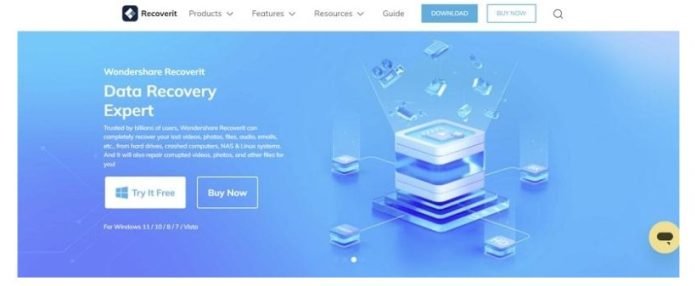
Data is not information but a highlight of our personal and professional lives. Sometimes, the data is too precious to be lost as it contains parts of our lives or businesses. The focus of this article will be on Wondershare Recoverit, an all-rounder data recovery tool. In addition, readers will learn how it can assist in other data retrieval processes.
Part 1: Simplified Data Recovery with Wondershare Recoverit: Brief Overview
Every business runs digitally; hence, facing data loss is a very common issue. Many tools have stepped in with the increasing demand for data recovery software. However, Wondershare Recoverit stands tall as a disk recovery software. It supports almost all types of data recovery related to internal or external hardware. The categories involve photos, videos, memory cards, and more.

This data recovery tool supports all video and file formats. It enhances workflow through ultra-scanning, which leads to fast data recovery on bigger scales. Users can recover multiple files and folders at the same time. Moreover, it maintains the original quality and format of the file and avoids corruption. This tool is capable of retrieving data from multiple sources like drones, surveillance footage, and more.
Part 2: Exploring Distinctive Features of Wondershare Recoverit
Now that you are aware of this innovative tool, you might want to explore what all the hype is about. Its diverse data recovery features make it unique from other tools. Let’s look into the following features!
Enhanced Photo and Video Recovery
This free disk recovery software can recover media files, including videos, photos, PDFs, and documents. It supports more than 500 scenarios from which you can recover your files. Moreover, the software supports all image formats like PNG, JPG, TIFF, GIF, and more.
In addition, it supports 100+ videos formats and does not alter the resolution during recovery. These photos and videos can be retrieved from internal or external sources like SD cards, laptops, hard drives, and USBs.
Hard Drives and Local Recovery
Whether you lost data accidentally or because of malware or a virus, this hard drive recovery software can recover it. It has advanced scanning algorithms that can retrieve data from all types of HDD and SSD hardware. In addition, it supports multiple brands like Dell, HP, Samsung, and more. Whether using standard hardware or advanced, internal or external, this is your go-to solution.
System Crash Recovery
There are times when data loss may occur due to problems with Windows. This results in file corruption, issues with hardware, incompatible software, or more. However, the tool can fight all these issues and recover data irrespective of Microsoft’s version. It is a data recovery software for all from Windows 7 to Windows 11 and the most recent servers.
NAS and Linux Data Recovery
Network Attached Storage and Linux are versatile and secure storage and operating systems. However, during data transfer, both can catch malware, which can cause data corruption. Recoverit supports data recovery from both, including 1000+ data formats. Both systems serve professional purposes, so this tool retains maximum data quality.
Corrupted Video Repair
Sometimes, you recover a deleted or lost video but are unable to access it. It is because of video corruption, which can occur due to several hidden or known factors. With its advanced scanning capabilities, it can recover and repair a corrupted video.
This disk data recovery software supports many formats for video repair, including MP4, MOV, MKV, and more. In addition, it retains video quality, resolution, and audio during repair.
Part 3: Retrieving Data from Windows Computer in 3 Simple Steps
As discussed above, this free disk recovery software supports all Windows servers. It is a versatile and upgraded platform for recovering data. However, it has a friendly user interface designed for all types of users. Here is how you can recover data from a Windows corruption in three simple steps. Let’s proceed further!
Step 1: Select the File Location
Once you launch Recoverit and reach its main interface, select “Hard Drives and Location” from the left panel. From the “Hard Disk Drives” section, choose the drive you want to recover data from. You can also select file location from the “Quick Access” section. Once the selection is done, click “Start” to begin.

Step 2: Choose a File to Recover
After clicking “Start,” the tool will scan the files in your chosen hard drive. Once the scanning is done, you can search the file’s name from the search bar at the top right. Another way of doing this is to expand the “File Type” and locate from the options.
Step 3: Recover the Files and Save
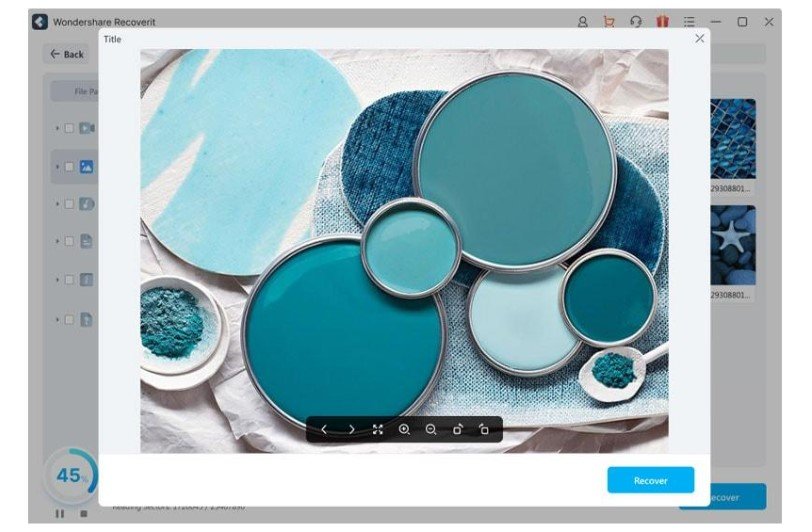
Once you have selected a file, click the “Recover” button to start data recovery. Users can preview the file they have chosen before starting the recovery process. Moreover, you can customize its settings like zoom, crop, and flip. Once the data is recovered, save your files in a new and stable location.
Part 4: Some Pros of Data Recovery through Wondershare Recoverit
This section is dedicated to the benefits a user will get by recovering data with this tool. Although the article has covered most of the specifications of this tool, here is why it should be preferred:
- Multiple Use Cases: This disk recovery tool can compensate for data loss from 500+ scenarios. For instance, it can recover data from sudden updates and reboots, blue or blank screens, or Window freezing. It can also retrieve data lost from intense situations like viruses or hacking.
- File and Storage Support: Its modern algorithms can recognize and recover data in 1000+ file formats. It also supports 2000+ device storage, including USB, SSD, and external devices for data recovery.
- Recovery Rate: Getting your files recovered is possible through hard drive recovery software. In contrast, this tool recovers data with a 95% accuracy rate. It has high-end scanners that can accelerate the process in any data loss scenario.
- Free Version: Users have the liberty to try its free version before availing any subscription. The free version can recover files of 100 MB or smaller size.
Wrapping Up
Now that the article comes to its conclusion, you must have some knowledge of data recovery. Wondershare Recoverit is an all-in-one tool for all storage or data loss types. In addition to this, it has included an enhanced video repair option.
Users can resolve any file corruption before or after recovery through it. Whether you are facing internal or external data loss for Windows, this is the tool to use. Moreover, the tool is available in 11+ languages for downloading and recovering lost data.
Wondershare Recoverit Free Download:
Click below to download Wondershare Recoverit.