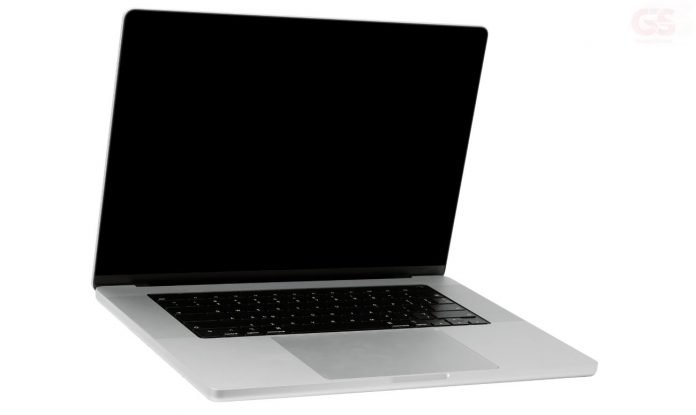
There are a lot of accessories to choose from to enhance your laptop experience. This is especially true if you own a MacBook, as you can find many different options.
Whether you’re interested in a portable docking station or a desktop stand, you’re sure to find something that suits your needs.
Magic Mouse
The Magic Mouse is a sleek, rechargeable mouse that is designed specifically for Mac computers. It features multi-touch technology, allowing you to easily scroll and swipe through documents and websites with ease.
It’s also highly customizable, allowing you to tailor its settings to your exact needs. Plus, it looks great and will help complete the look of your Mac setup. The price is hefty but if buying refurbished, you can find great deals on Magic Mouse from third-party retailers.
Moshi Muse Laptop Sleeve
A good MacBook sleeve has a number of things going for it, but there are several high quality options out there.
For starters, there is the Moshi Muse which has an innovative magnetic lining that prevents scratches on your laptop. Not only does it do this, it folds into a functional 15 degree stand in less than a second.
It is available in a range of colors to suit your personality and your bling. It has an accessory compartment that lets you keep your phone charger and cables tucked away and in a place where they belong.
The best part of the Moshi sleeve is that it is available in a variety of colors and price points. Even better, you can purchase it from the company’s website. There are three styles to choose from: 13″ slim, 13″ medium, and 14″ medium.
You can also pick up the slim sleeve at B&H Photo and Amazon. The sleeve is made of quality vegan leather and comes in a choice of tan, black, and navy blue. The sleeve is also available for the Apple MacBook Air.
However, if you’re looking for a more durable sleeve, check out the Air Flight which can be purchased from MacMall.
Grovemade Dock
This stylish accessory is not only a great place to store your device when not in use, but it also has the nifty feature of allowing you to use an external display.
Designed to complement the latest MacBook models, this docking station is constructed of stainless steel and is available in a wide range of sizes.
The top of the stand is concealed by a cover, which holds your cable in place. It comes with two rests made of wool and resin, and is a good choice if you need to keep your laptop elevated.
Another stand from Grovemade, this one is made of hardwood. It is made in the USA and is available in both Maple and Walnut.
The dock is designed to protect your laptop from scratches. It is lined with cork matting, which provides a layer of protection. There is also a small cable clip underneath. However, the cork is very fragile and is not included with the dock.
Grovemade also offers a wide range of desktop accessories. They offer a monitor stand, a laptop stand, a trackpad tray, and a keyboard tray. These products are made from high-quality materials, which makes them a good investment for the modern user.
Alogic Clarity 27-inch UHD 4K monitor
The Alogic Clarity 27-inch UHD 4K monitor for MacBook is an impressive display. It offers a high quality viewing experience and features a sleek design.
Like the Apple Studio Display, the Alogic Clarity has a thin bezel, a high-resolution screen, and a sleek look. But the price is much lower, making it a better option for budget-minded consumers.
The Alogic Clarity also delivers more than 1 billion colors, has an auto-brightness adjustment, and has a bright and vibrant display. You’ll be able to see every detail.
The Clarity’s stand has two HDMI ports, a USB-C port, and a headphone jack. In addition, the display comes with a smart in-built gravity sensor that adjusts the image to match the user’s inclination. There’s even a future upgrade roadmap that includes daisy-chaining capabilities.
Although this monitor is affordable, it doesn’t come with a built-in webcam, a microphone, or a 12MP camera. Also, it lacks a borderless look. However, it’s still a worthy competitor to the Apple Studio Display.
LG Ultrafine 27-inch 5K monitor
A powerful screen that’s perfect for graphic designing on your Mac – The LG Ultrafine 27-inch 5K monitor offers over 1 billion colors, a P3 color gamut, and 500 nits of brightness. It also has a built-in camera and stereo speakers.
These features will help you express your pictures in a detailed, lifelike way.
You can get the LG Ultrafine 27-inch 5K monitor for only a few hundred dollars more than the Apple Studio Display. But, it’s hard to justify spending that much extra. In fact, if you’re buying this monitor for your Mac, you may only be able to get half the resolution of the 27-inch Apple display.
With a 5-k resolution, you’ll be able to see more detail in photos, and it’ll be easier to read text. Plus, it’s got a great range of viewing angles.
Another cool feature is the ability to adjust the brightness of the monitor using the keyboard. This makes it easier to set the right brightness without having to pull the screen away from your desk.
Satechi All-Metal Riser
This laptop stand is constructed of anodized aluminum with a steel padded frame. It also features a cable management cutout, which keeps your cables out of sight. In addition to holding your laptop, it has rubber rests and a folding handle.
The aluminum casing and sleek design of this stand will look great in your office, dorm room or home. And, the fact that it can hold a notebook or tablet, even a MacBook Air, is pretty sweet.
Plus, it comes pre-built in the box, saving you the headache of trying to find the right parts.
For a lot of us, having a monitor riser on our desk is essential. Not only does it reduce neck strain, but it can increase your productivity and make your screen much more visible. Having your workstation elevated allows you to use your keyboard and mouse as well, making it easier to access documents and other applications.
There are a lot of options on the market for this type of laptop stand. But, Satechi’s has the most features for the money. Among its perks is a built-in microSD card reader, three USB-A ports and a USB-C port.
UE Megaboom 3
This large speaker offers a number of benefits, including great battery life and impressive Bluetooth connectivity. However, it may be a bit much to pack, and the sound quality might not be the best you’ll find.
While the UE Megaboom is a solid portable speaker, there are other options on the market that offer a superior sound experience. We also like the fact that it’s waterproof and comes with a USB wall adapter.
Unlike most portable speakers, UE includes a charging dock for charging your speaker. The Power Up charging dock is a stylish black metal D-ring adapter.
When charged, the UE Megaboom will turn on a rapidly pulsing white LED light. It has a built-in speakerphone, so you can answer calls directly through the speaker. You can also connect to up to eight other speakers using the Bluetooth capability.
Compared to the UE Boom, the UE Megaboom is slightly larger and heavier. Similarly, its battery life is impressive, with a full 20 hours of playback time.
Like the UE Boom, the Megaboom has a water-resistant shell. The internal hardware is covered by a woven mesh surface that protects it from the elements.
Upgrow’s USB-C to HDMI Adapter
Upgrow’s USB-C to HDMI adapter for MacBook is an ideal solution for users who want to enjoy high-quality video and audio output from their USB-C equipped devices.
This versatile adapter is also compatible with many other devices, such as iPad Pro, Galaxy S9/S9+, iPhone 7, and more.
The device works with USB-C 3.1 and Thunderbolt 3 ports, so you can connect it to your USB-C MacBook, MacBook Pro, or MacBook Air. It also supports 4K@60Hz resolution, so you can enjoy feature-rich 4K content with a smooth and rich experience.
Aside from its lightweight design, the Upgrow USB-C to HDMI adapter for MacBook features a braided nylon cable that increases its durability and ensures better signal transmission. Additionally, it comes with an aluminum casing for heat insulation.
Upgrow’s HDMI adapter for MacBook comes with a user-friendly design and a 30-Hz refresh rate. In addition, it provides crystal clear audio and 4K video output. Moreover, it has a compact size, so you can easily pack it in your laptop’s sleeve.
The HDMI Reader is compatible with the latest Apple Macbook/MacBook Pro, Samsung Galaxy S9/S9+, and more. It can also support multi-stream transmission, allowing you to stream audio and video content from multiple sources.
For Sound Lovers
Macbook and iPhone are quality devices that can be used to capture quality sound recordings.
Podcasters, the iPhone’s inbuilt microphone is decent, but if you’re regularly recording your podcast using your iPhone you should invest in an external microphone.
While it can be difficult to replicate the same quality of a professional recording studio with an iPhone, you still have the potential to create some pretty decent audio as long as you’re well-informed about what works best for your device.
Just remember not to block or cover its microphone!
Audio Interface
An audio interface is one of the most important gadgets you need to record sound from your Macbook or iPhone. It allows you to connect mics, instruments and other sources directly into your computer without needing an external mixer or amplifier.
Microphone
A good microphone is essential for recording sound with your Macbook or iPhone. Choose a mic that has a pickup pattern and frequency response tailored to your type of recording.
Pop Filter
A pop filter is an essential tool for recording vocals on your Macbook or iPhone as it prevents plosives (unwanted bursts of air) from entering the microphone and causing distortion in the recordings.
Shock Mount
A shock mount helps to isolate the microphone from mechanical vibrations and reduce the noise floor in your recordings.
Headphones
Investing in a good pair of headphones is essential for monitoring sound when recording with your Macbook or iPhone. Choose headphones that have a flat response curve, so you can easily hear any imperfections in the sound.
Cables and Adapters
A good selection of cables and adapters will help you to connect all your gear together for recording with your Macbook or iPhone. Make sure you have enough input and output connections, so you can route signals from one device to another without any interference.
Final Word
It is important to consider what accessories you need or want when purchasing a MacBook Pro. The right accessories can make your work easier, protect your laptop, and enhance the overall experience of using a MacBook Pro.
Our list of essential and best-in-class accessories is based on what users have found to be the most beneficial when using a MacBook.
More gadgets are coming, so it’s up to you to decide what features and accessories will work best for you. Your needs will determine which ones are the most important and worth investing in.