Our smartphone is our personal utility which we use in different ways, to save details of work or communicate with people. Sometimes we do find ourselves in a situation where our personal device gets into another person’s hands. How do we stay secure? here is a quick on how to lock apps on iPhone.
Android devices have lots of apps that can help users lock their apps and it can only be accessed by the person that sets the password or someone else that knows the password and it stays very secure.
But how can one lock apps on iPhone when it seems like there are no apps to do this on the Apple Store? Well, there will be apps to do this, but there is a more secure way to do it, that doesn’t require a third-party app. Follow Through to see how to lock the app on your iPhone.
How To Lock Apps on iPhone
- Head to settings
- Scroll Down to Screen Time
- Cl

- The next thing you have to click on is

- After setting the passkey you need to do an important thing, which is to hard your apple ID, Just incase you forgot the passkey

- When You are done with the first settings, then you need to go back to the screen time and click on app limit

- On this page, you need to click on “ADD LIMIT” so that you can select the app you want to lock on your iPhone.
- Then you need to check for the category that the app you want lock belongs to and after selecting the app (in my case “whatsapp business”) then click on next.
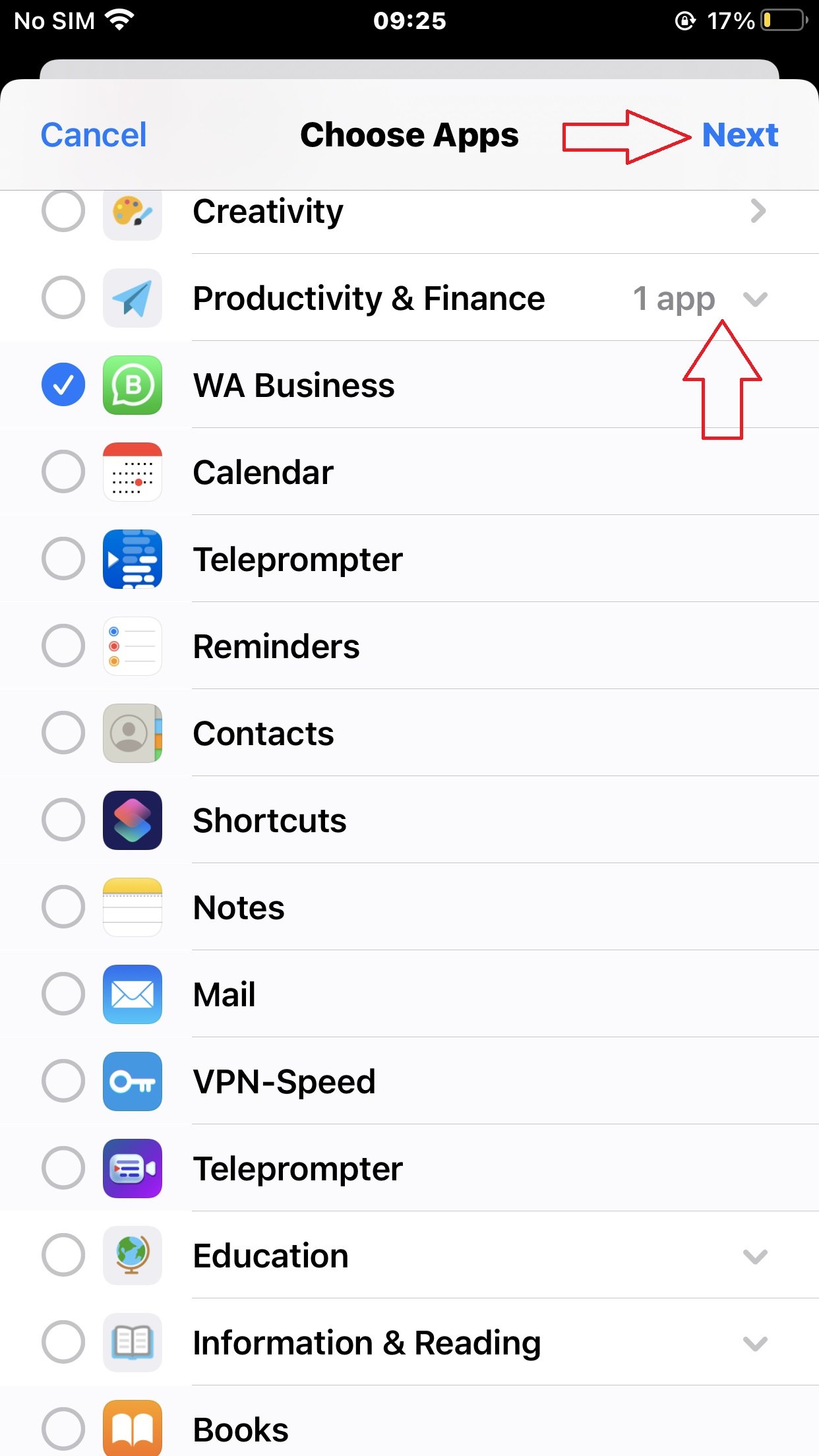
- Finally, you have just lock an app on your iphone. So you need to add how many hours the app should stay on before it get locked.
- Now, after the dedicated time, the app would lock and untill you input the password before you can continue using it
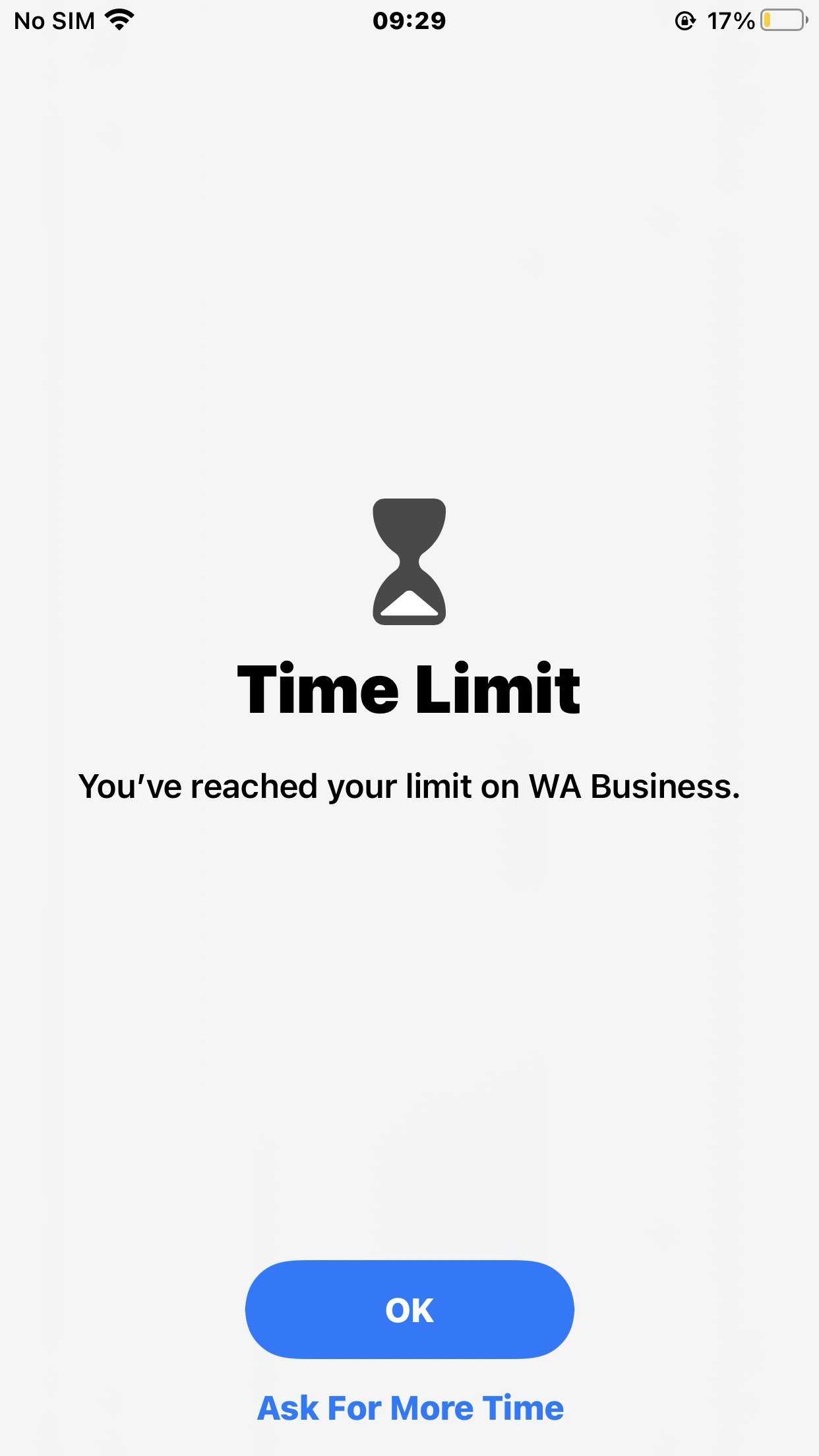
You can ask for more time and extend the app from getting locked sooner as you use it.

With this quick and easy tip you can lock any APP on your iPhone and protect it from unwanted access and keep your personal belongings as truly secure.