In a world where technology is slowly eliminating the need for manual work, having a tablet for professionals is a necessity. Today, you have online classes, courses, meetings, and presentations held on a simple screen that can place you amidst the global connectivity grid. For working professionals who must always remain one step ahead in the line, having the latest gadget that boosts productivity is a prerequisite.
Since the pandemic switched working conditions from office to home, gadgets have been in the spotlight for their all-around usage. Amongst phones, laptops, netbooks, and tablets, working professionals have chosen what works best for them, usually depending on the ease of usage, convenience, budget, and compatibility.
Tablets are one category of gadgets that converge the above factors into one and be a professional’s right hand in carrying out day-to-day tasks with ease. For instance, Samsung tablets are designed to give the customer the latest technology, smoother experience and attractive designs. In case you are looking to buy a tablet for work, consider the following factors while you choose one.
Things You Should Consider While Purchasing A Tablet For Work
1. Connectivity
Your tablet for work packs all the power of phones and laptops, so it can come in handy when you are not using either. Pick a tablet that gives you smooth connectivity so you can work on multiple apps simultaneously.
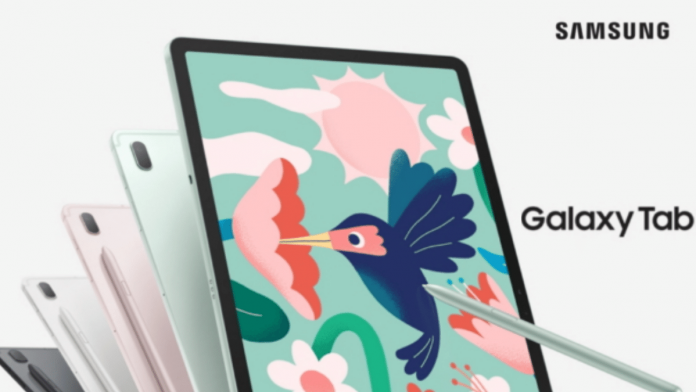
Between the varying operating systems and connectivity options available, choose a tablet that supports both 2.4 GHz and 5 GHz radio bands and a cellular network with at least 3G or 4G compatibility. Have a look at the Samsung Galaxy Tab S7 FE, the Android OS of which provides a smooth user interface. Supporting 5G connectivity, the Samsung Galaxy S7 is a flagship model amongst tablets.
2. Multitasking
It would be a truism to state that your next tablet for work should have premium multitasking features. A Samsung innovation, the Multi-Window feature is the next-gen way to integrate your workstations into one. With the split-screen, you can work on multiple apps on a single interface, sending emails on one and attending conferences on another. Samsung tablets come inbuilt with the Multi-Window screen, with which you can have seamless Microsoft integration to integrate all the MS apps you need at your fingertips. Attach your keyboard and switch your tab into an impromptu laptop.
3. Battery Life
Long-running battery life is an important determinant for a well-functioning tablet at work. Considering how professionals need to hop to-and-fro between places and applications at work, a battery life of at least 8-10 hours is a must. Samsung tablets are the forerunners in the line of long-lasting batteries amongst tabs. Consider the Samsung Galaxy Tab A 9.7 with a battery capacity of 6,000 mAh, which roughly translates to an average of 15.7 hours of run time.
4. Processors
With newer apps and software updates coming in that take advantage of multiple cores, any tablet with an octa-core processor is the ideal option. The better the processor, the faster the usage and memory. The Samsung Galaxy Tab A7 is an option that might fall in your budget range in your pursuit for the nice tablet for work, with a price tag of nearly 18,000 INR, yet packs much promising power. Running on a Qualcomm Snapdragon 662 chipset with 3GB of RAM, you can choose your model between 32GB or 64GB storage options without exceeding your budget. Housing a 7,040 mAh battery, your Samsung tablet will ensure the lights are on for long hours.
5. Display & Camera
If you use video calls and conferencing for your workspace, opt for a tablet that gives you better display and camera options. Amidst the variety of Samsung tablets with flagship displays, you may want to look at the Samsung Galaxy Tab S7+. The tablet comes with a 12.4-inch display and 2800 x 1752 (WQXGA+) pixel resolution for perfect viewing and superior graphics. Its super AMOLED screen houses 13.0 MP + 5.0 MP dual-rear cameras and an 8.0 MP front camera, for those crystal-clear video calls.
6. Lightweight & Attractive
If convenience takes precedence in your checklist, then the Samsung Galaxy Tab S6 should be your go-to option. Multitask like a pro with its built-in trackpad to attach your keyboard, glide your S pen across documents, and an attractive super AMOLED 10.5-inch screen. With a weight of just 0.95 lbs and a slim metal body, the tablet is a featherweight device to carry that also looks good on your desk which is one of the best tablets for work.
7. Budget-Friendly
That your tablet for work should be a budget-friendly option is an understatement. Pick your best Samsung galaxy tablets when you choose an affordable device to work on. The Samsung Galaxy Tab A7 Lite costs half your regular budget amidst tablet options, costing just around 12,000 INR but packs premium features. You get a fast-charging battery with 5,100 mAh capacity, 4G and Wi-Fi connectivity, and 32 GB internal memory expandable up to 1 TB with a microSD card.
Buy Your Tablet for Work Easily
Affording a premium tablet for work may cause you to dig into your savings. However, by shopping at the Bajaj Finserv EMI Store, you can easily bring your favorite tablet home. Simply use your Bajaj Finserv EMI Network Card and avail of No Cost EMIs, along with other deals, discounts, and offers like cashback. With zero down payment options available on select models, you can purchase your tablet without paying a penny up front, and pay the amount in flexible tenors extending up to 24 months.